A library that speaks your language
174 electrical symbols, organized into 15 categories. Build schematics with the components you use every day.
 ELX Studio
Turn complex electrical systems into clear, connected drawings. One focused workspace for your schematics, devices, and documentation.
Every device.
Every wire.
Everything in place.
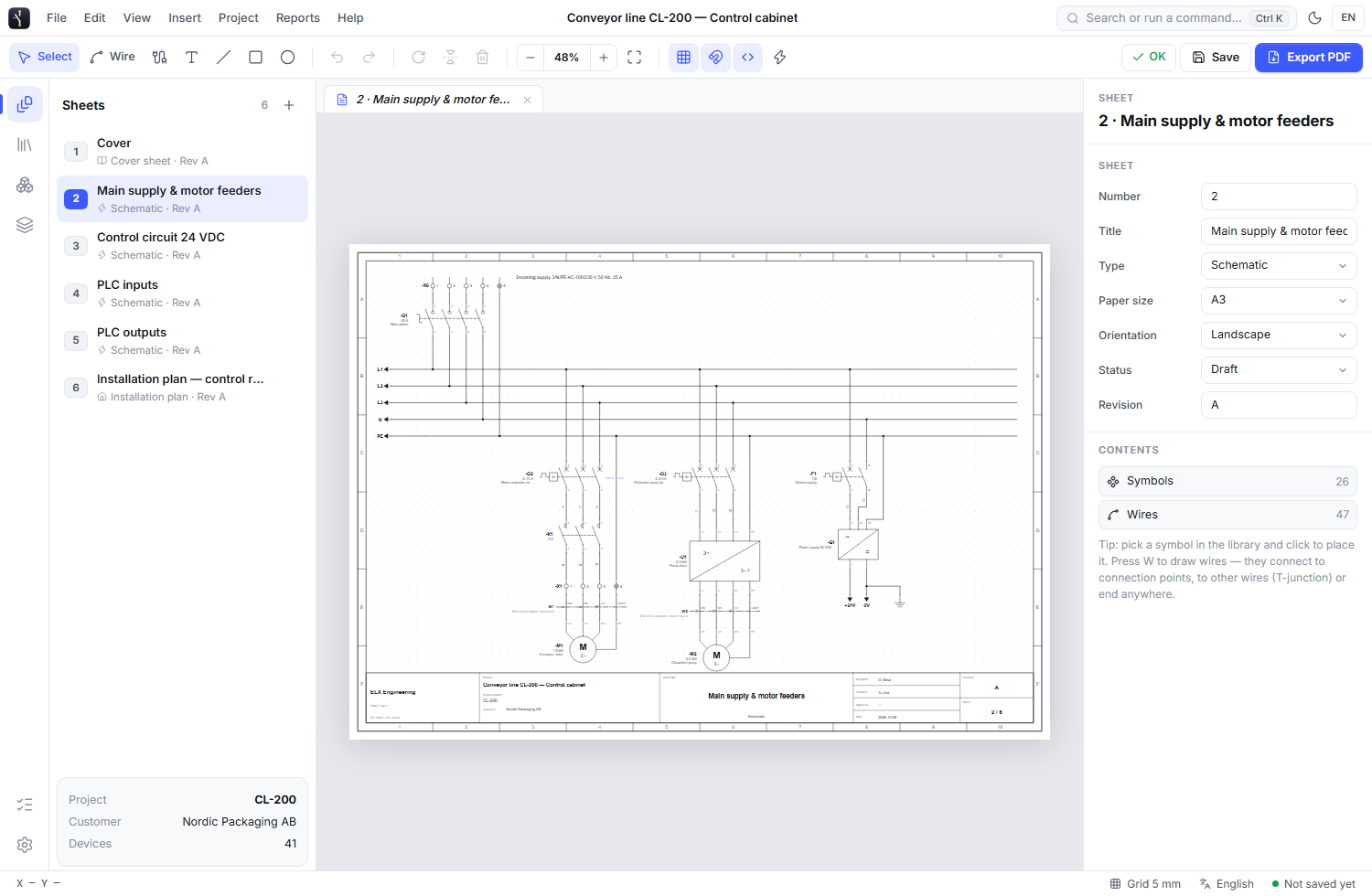
A focused set of tools that keeps the drawing, the equipment, and the project documentation together.
174 electrical symbols, organized into 15 categories. Build schematics with the components you use every day.
Keep wires, devices, and cross-references connected across sheets. Follow the circuit without losing the bigger picture.
Export drawings to PDF, SVG, or DXF, and create device lists and reports for the next stage of your project.
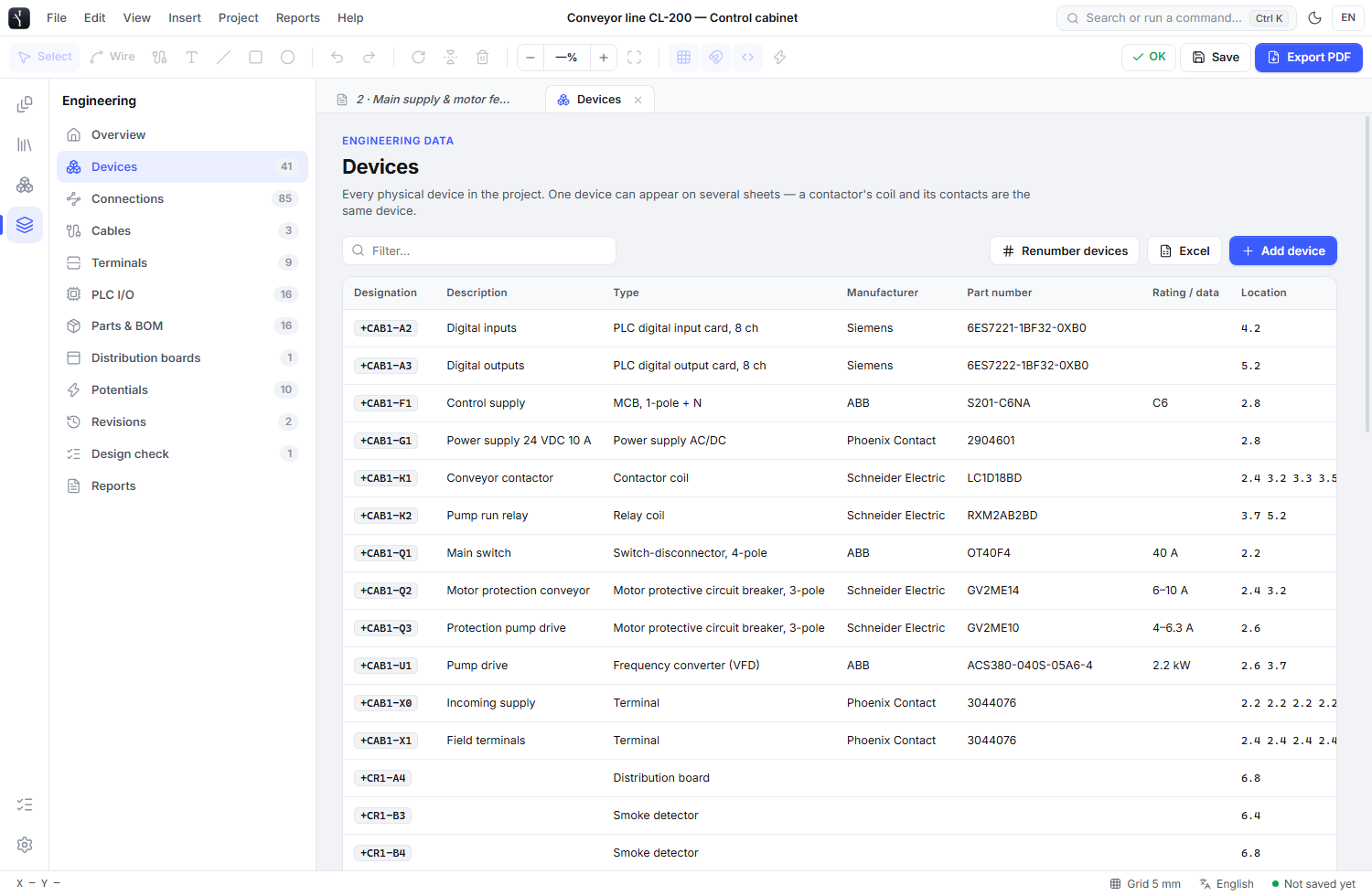 ENGINEERING MANAGER / ELX STUDIO
Work with devices as real equipment, with their own identities and properties. Move between the schematic and the engineering data that gives it meaning.
Manage the people behind the drawings in your company’s web workspace, with access granted by invitation.
Company administrators assign and reassign the licenses available to their team.
Choose who can check and who can approve. Give both permissions to the same person when your process calls for it.
Cloud project records support designed, checked, and approved states, version history, and approver-controlled locks.
Desktop cloud synchronization requires the desktop integration.
Tell us about your team. We’ll help you get started.