01 / INSTALLATION DRAWING
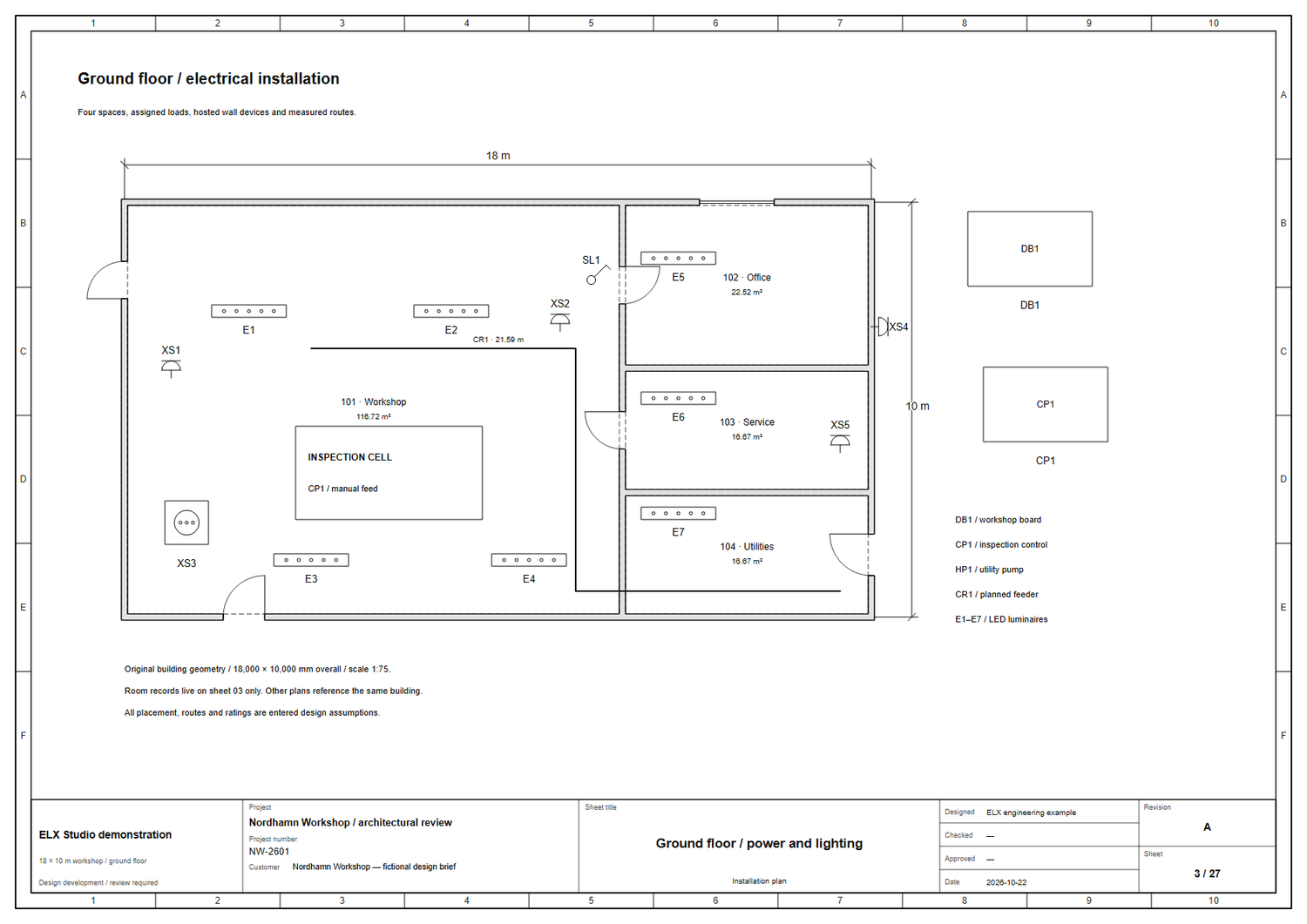
Plan the physical installation.
Place equipment, document routes and carry room and opening information into the project schedules.
Explore installation plans ELX Studio
Design schematics, installation plans and cabinet layouts. Keep devices, documentation and team review connected in one Windows application.
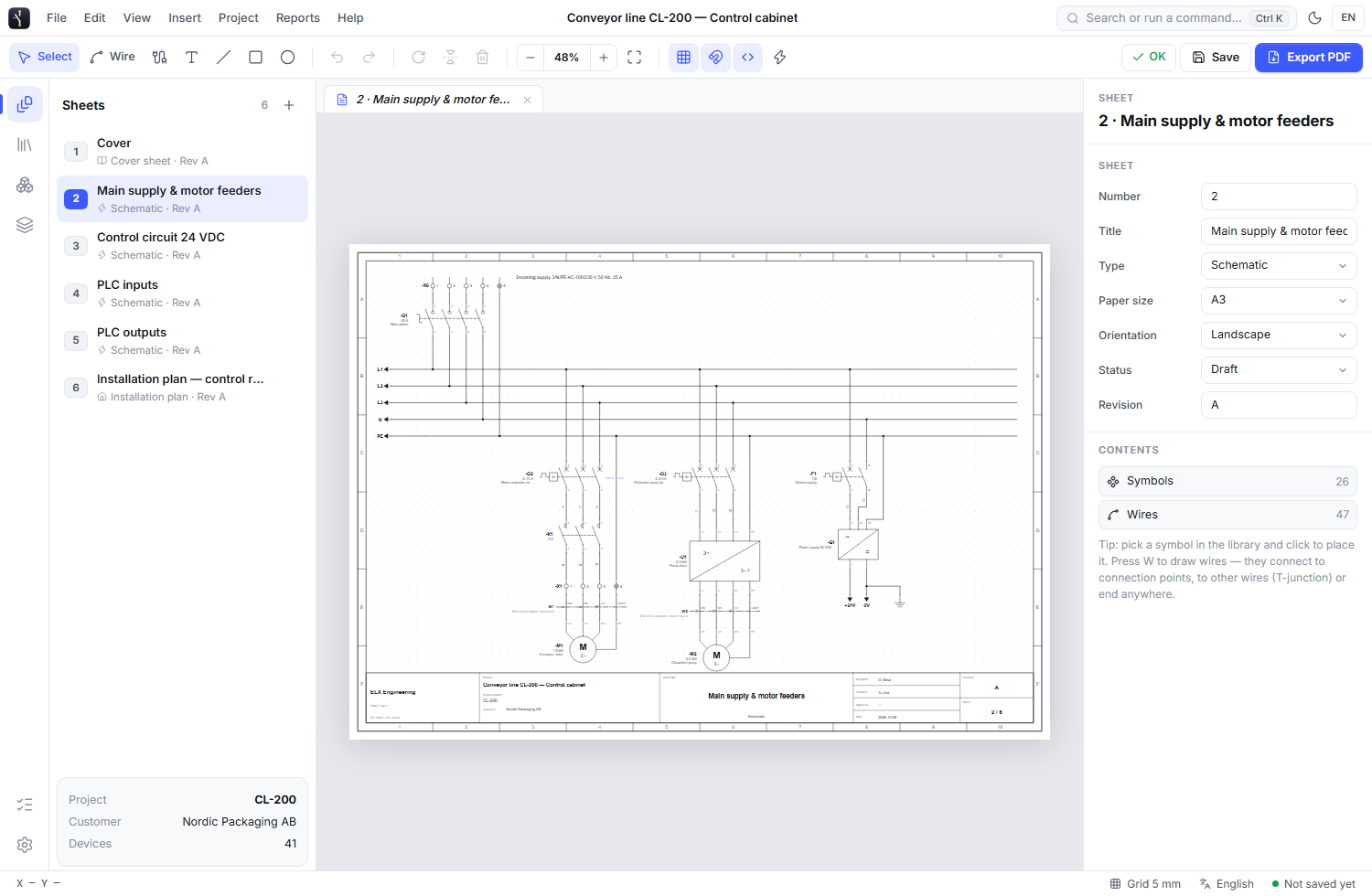
Choose a project profile and add the drawings you need. Each drawing has a purpose, with a workspace that brings its tools and libraries into view.
Draw joined walls, hosted openings and rooms. Reuse a live building source and control screen and print layers.
Explore the workflowArrange mounting faces, rails, ducts and device footprints. Open the wiring diagram for the same project device.
Explore the workflowOrganize boards, circuits, alarm loops and zones. Prepare evacuation drawings and record commissioning checks.
Explore the workflowBuild estimates from project quantities, preserve quotation revisions and prepare production checks and report layouts.
Explore the workflowThe project overview groups drawings by purpose. Open a drawing guide to understand what belongs on the sheet and reach the relevant tools. Keep print order separate from how you browse.
Explore guided project navigation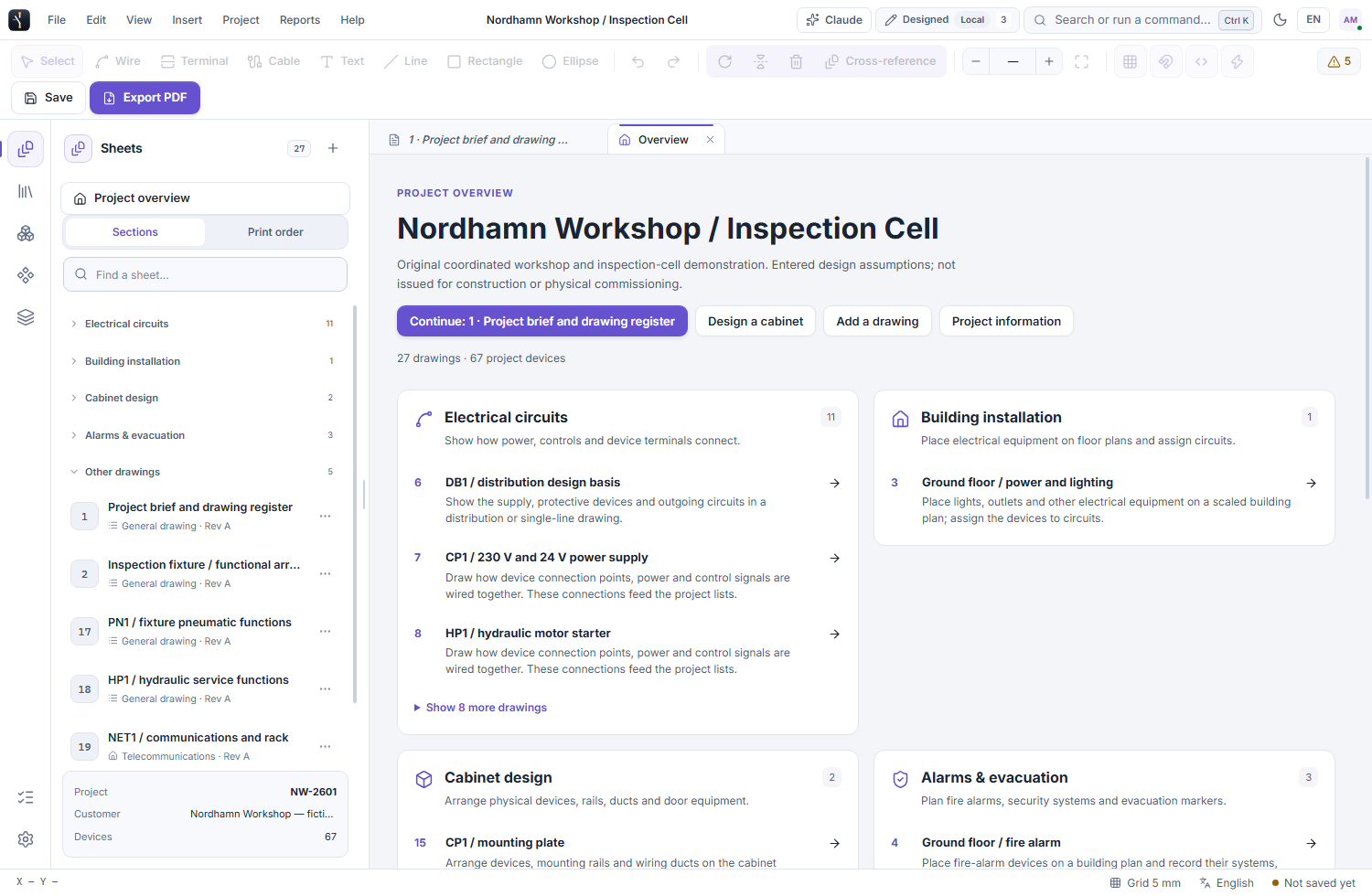 PROJECT OVERVIEW / SAMPLE PROJECT
 Joined walls and hosted openings form a shared source for installation, alarm and evacuation drawings. Change the building at its source and keep each sheet’s equipment and annotations local.
Drag wall endpoints and opening handles. Enter exact dimensions and clearances beside the drawing.
Linked dimension sets, reusable drawing styles and independent screen and print layers.
Review overlapping labels, small text and covered connection points before exporting.
Place equipment, document routes and carry room and opening information into the project schedules.
Explore installation plans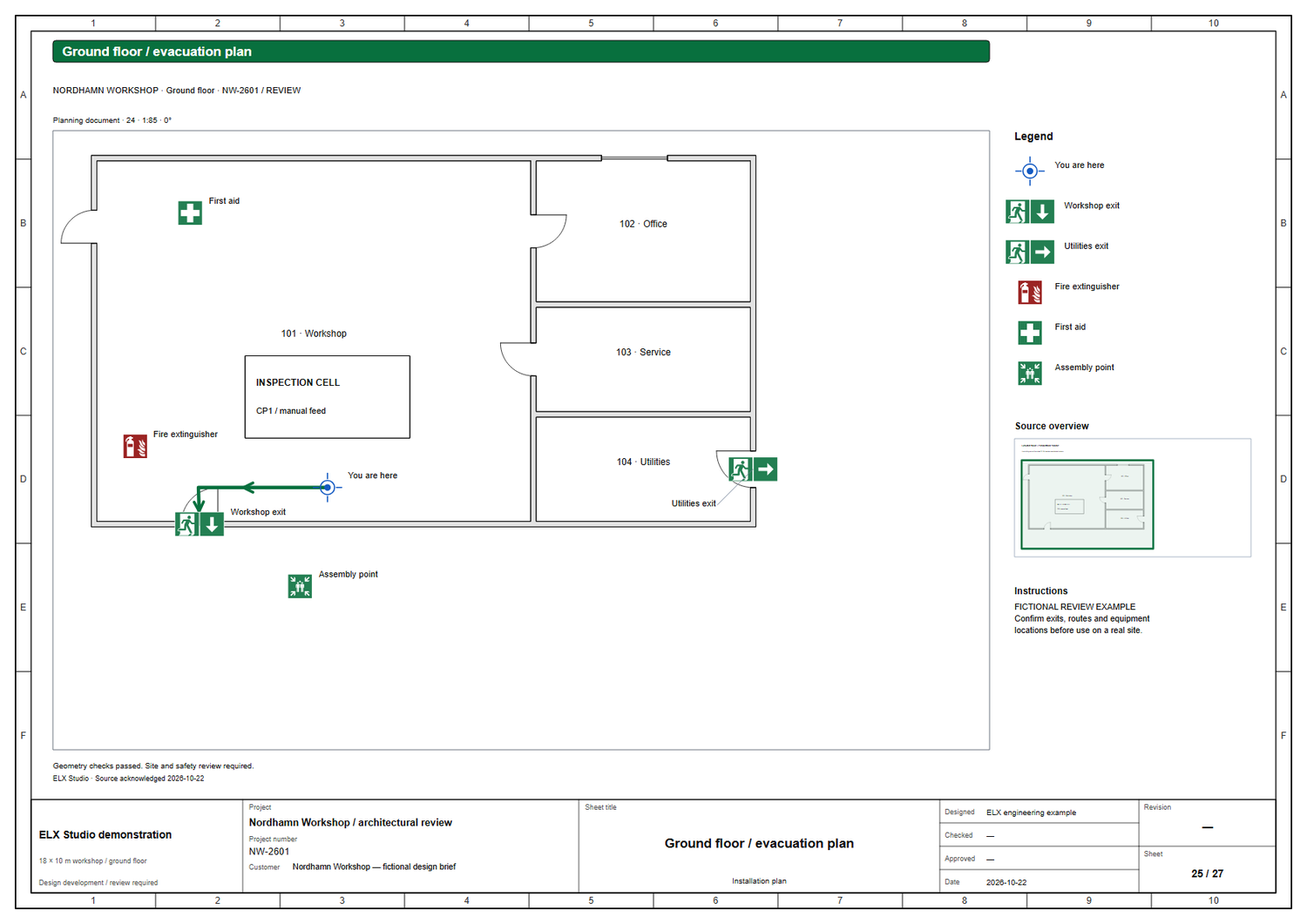
Compose safety symbols, routes, instructions and an overview around the same building geometry.
Explore evacuation planningActual ELX Studio 3.4.0 drawing output from a fictional workshop project. Evacuation plans require site and safety review.
Explore actual application screens, from a project overview to installation plans, cabinet layouts and the tools around your drawing.
See the project grouped into electrical circuits, installation, cabinet design and other drawing sections. Continue your last drawing or open a guide to understand the next step.
Actual application screens. Project and account details are fictional examples.
From the first wire to project handover, ELX Studio keeps the drawing, engineering data and review tools connected. Open a workflow below to see the details.
Build multi-sheet schematics with separate symbol and device libraries, reusable circuit templates, and search that takes you straight to your next action.
See what you can do 02Follow devices, wires and cross-references across sheets. Inspect connections in readable, searchable tables and use design checks to find issues for review.
See what you can do 03Browse Local, Cloud and Team spaces separately. Filter by review status or teammate, then open your account and license controls in Your workspace.
See what you can do 04Share a cloud project with selected teammates. See live cursors, reply to comments on the drawing, and keep review discussions beside the circuit.
See what you can do 05Move each version from Designed to Checked to Approved. Keep the decision history and lock approved work when needed.
See what you can do 06Export sheets to PDF, SVG or DXF, and produce device, connection and cable lists plus wire labels for the handover.
See what you can doShare one open project with Claude Desktop. Inspect drawings and engineering records, ask for proposed changes, then review the work in ELX before applying it.
Optional connection · Your Claude account and usage limits applyFind model-specific terminal drawings, source references and drawing dates in the desktop Device Library. The installed ELX Studio catalog includes selected documented models from ABB, Schneider Electric and Siemens.
Sentry safety relays, AF contactors, S200 protection, CP-E supplies, ACS380 drives and pilot devices.
Browse exact models 02 / SELECTED MODELSModicon PLCs, Harmony XPS safety relays, TeSys contactors and protection, ABLS supplies, Altivar drives and Harmony XB5 controls.
Browse exact models 03 / SELECTED MODELSSIMATIC PLCs, SIRIUS safety and switching devices, SITOP supplies, SINAMICS V20 drives and SIRIUS ACT controls.
Browse exact modelsELX creates its own drawings for selected exact order codes. These manufacturer names identify the represented products; ELX is independent and is not affiliated with, sponsored by or endorsed by ABB, Schneider Electric or Siemens. Match the order code to the physical device and check current manufacturer documentation before installation.
Explore the searchable device catalogBrowse Local, Cloud and Team projects separately. Find shared work by teammate, search by name, and filter by Designed, Checked or Approved. Clear the filters in one action and see each project’s creator and latest activity at a glance.

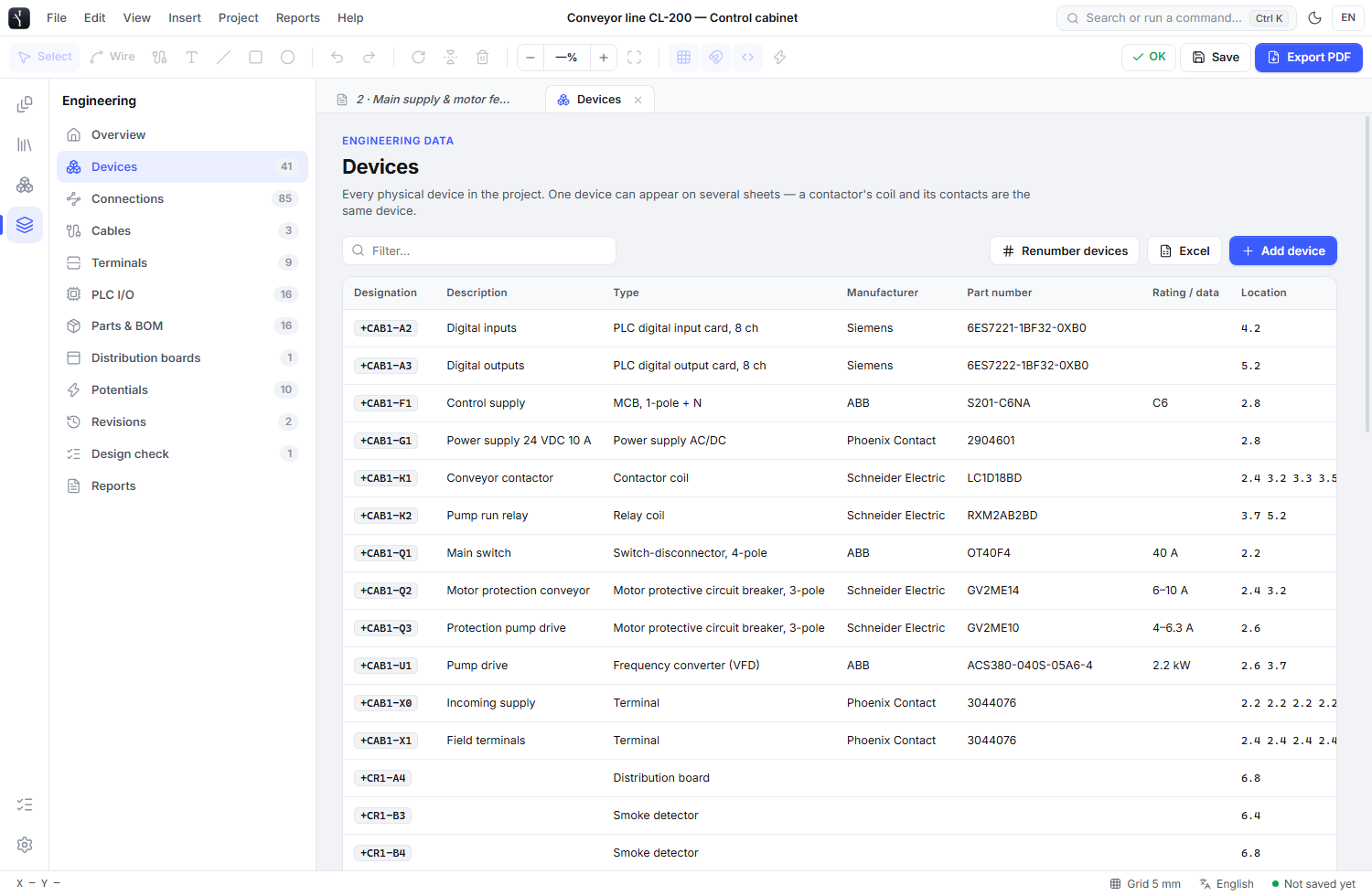 ENGINEERING MANAGER / ELX STUDIO
Give each device an identity, part and purpose. Plan terminals and PLC hardware, document typed connections and prepare reports from the same project. Add entered prices and labour to a quotation, freeze a revision and track production checks as the design develops.
The project creator can share a cloud drawing with selected teammates. Work together with live cursors, leave comments on specific elements, and follow each version through review.
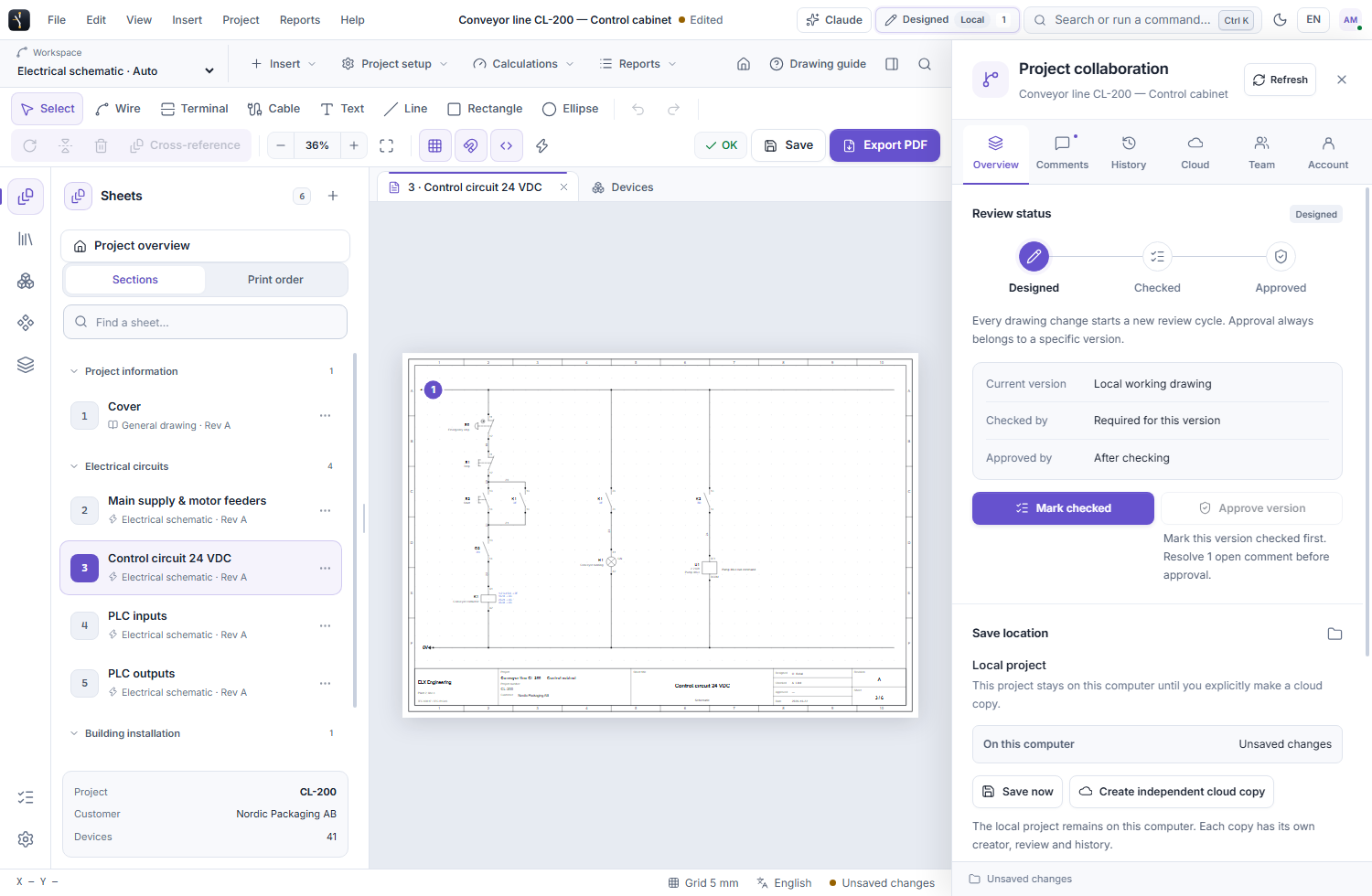
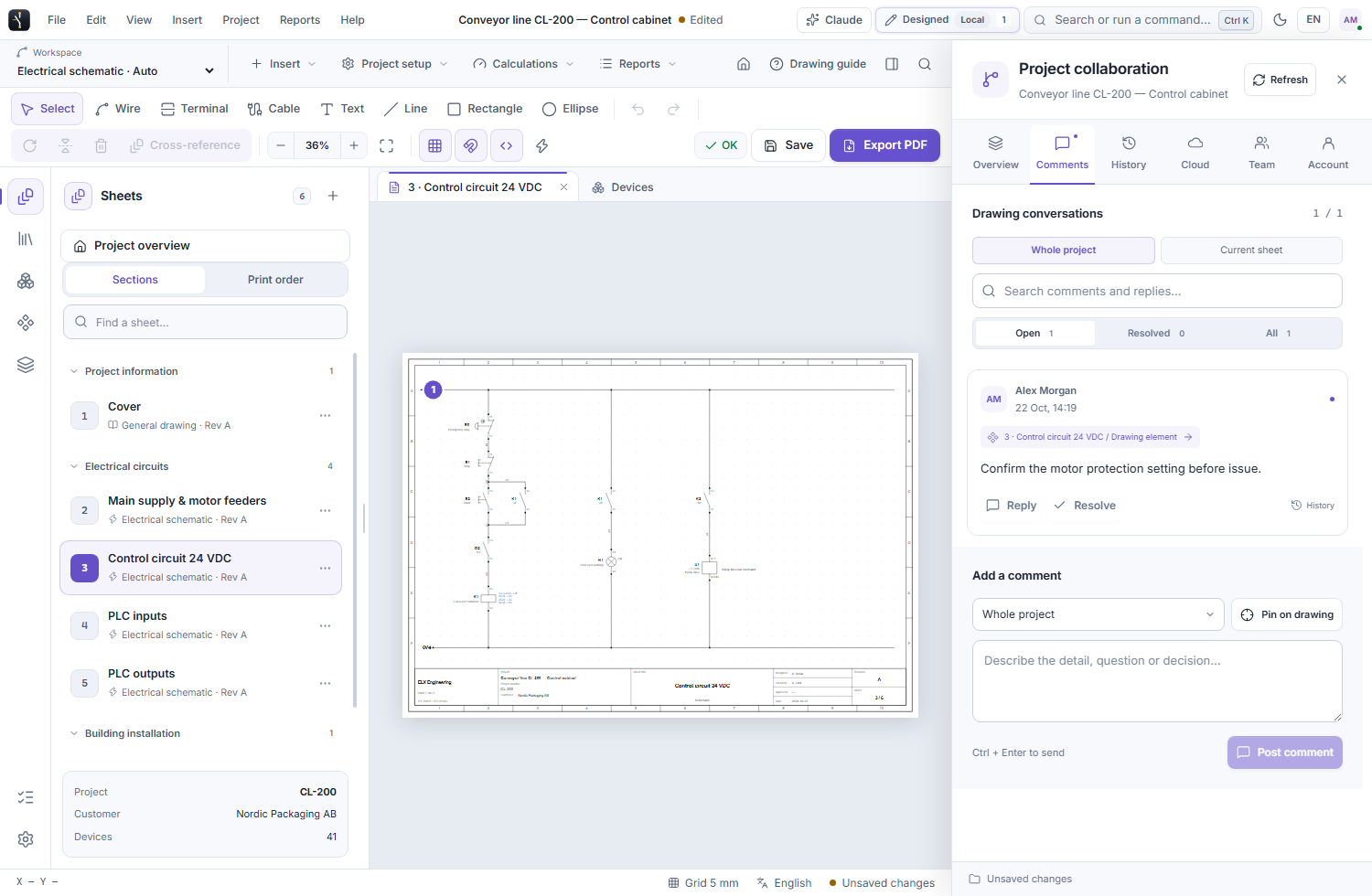
Screens show ELX Studio 3.3.4 with fictional sample project and account data.
Manage the people behind the drawings in your company’s web workspace, with access granted by invitation.
Company administrators assign and reassign the licenses available to their team.
Choose who can check and who can approve. Give both permissions to the same person when your process calls for it.
Each review belongs to a saved drawing version. Comments, activity and approver-controlled locks keep decisions clear.
Review, comment and synchronize drawings directly in ELX Studio.
Explore the current Windows release while new access is being prepared.