Use the current building geometry
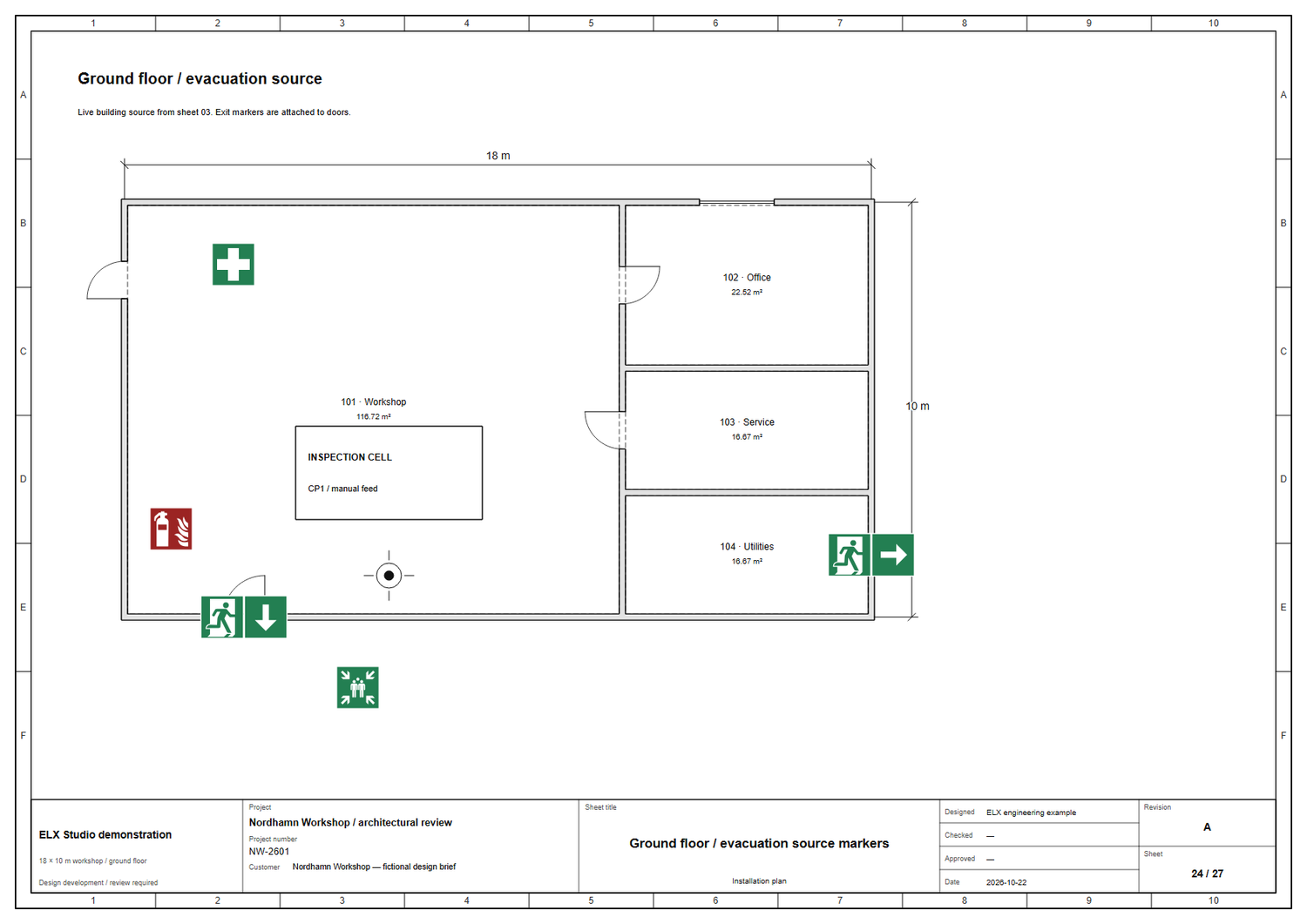
Select a source drawing, including one linked to a shared building. Walls, openings and rooms follow that source. Relevant geometry changes make the earlier source review stale so it can be checked again.
 ELX Studio
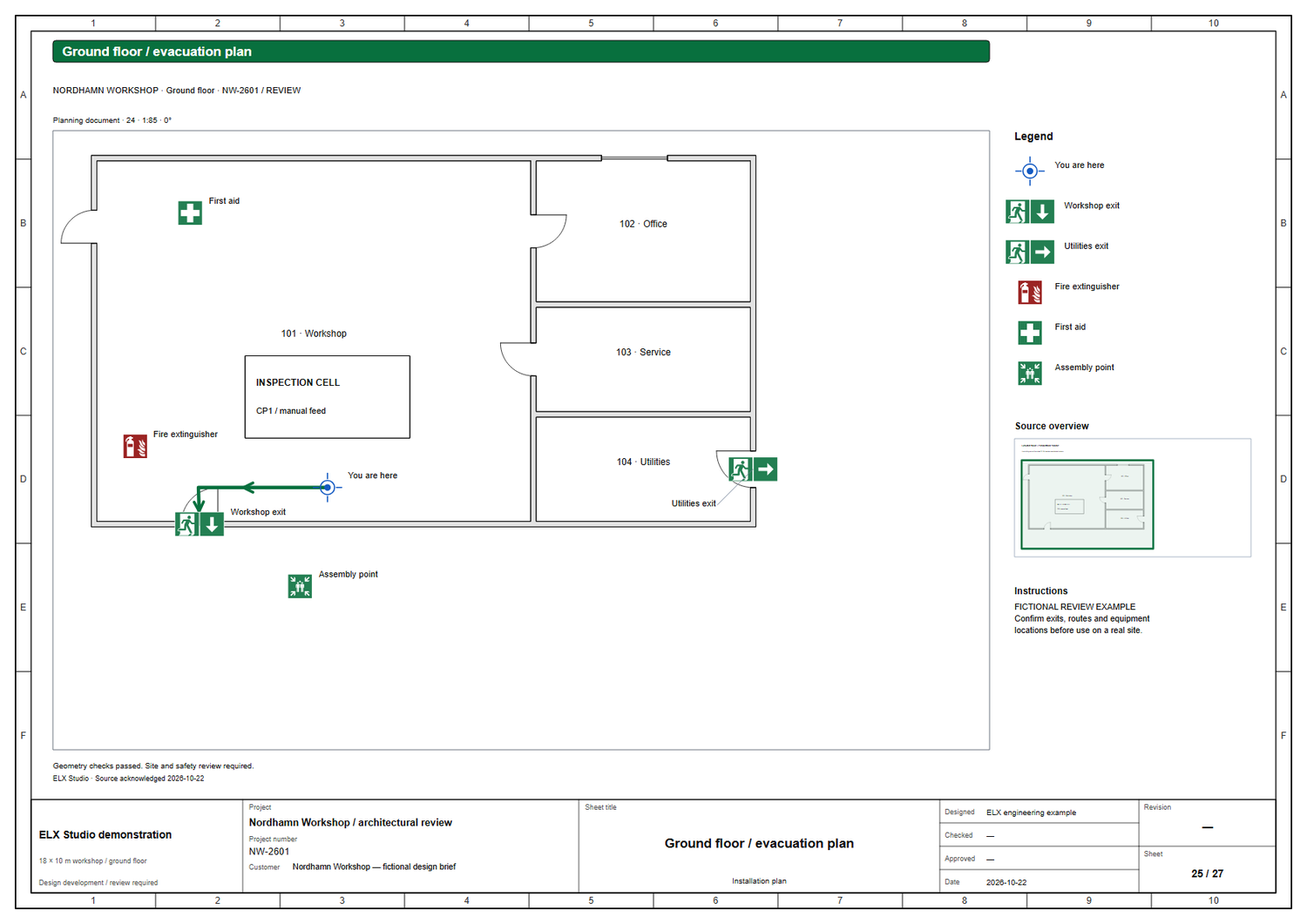
Prepare a readable evacuation plan from the same building used by your installation drawings. Place safety equipment, connect exit signs to doors and review the drawn routes before composing the plan for print.
All product workflowsLive building geometry, clear safety symbols and visible review findings in one planning workflow.
Open a building drawing in the installation, fire or evacuation workspace. Choose Project setup → Evacuation plan, select the source, then add markers and paths.
Use these capabilities together as the drawing moves from layout to a reviewed project.
Select a source drawing, including one linked to a shared building. Walls, openings and rooms follow that source. Relevant geometry changes make the earlier source review stale so it can be checked again.
Choose the actual door opening for an exit marker. The marker follows that door when it moves. The person pictogram stays upright while the direction arrow expresses the selected exit direction.
Use green and white exit, first-aid, assembly-point and AED pictograms, plus a red and white extinguisher symbol. Choose the printed symbol height and adjust labels when a detail needs more space.
Place a You are here marker, enter the route through the drawing and associate it with its destination exit. Review the path and its length in the plan and route schedule.
Checks flag routes crossing drawn walls or windows and selected obstacles. Review linked-door issues and compare openings with an entered minimum width. The result is based on the geometry and assumptions recorded in the project.
Set the crop, orientation and print scale. Include the site and floor name, plan reference, instructions, equipment legend and source overview. Label placement and symbol size are controlled for the printed page.
Inspect findings and source changes before acknowledging the current source. Editing the title or other presentation settings does not silently mark changed building geometry as reviewed.
Export the drawing to PDF or DXF and prepare the route schedule. Keep the editable source, plan and referenced project files together in a portable ELX package for further review.
Check the building against the actual site, choose the plan source and bind exits to the appropriate door openings.
Add the location marker and safety equipment. Draw routes, select obstacles and resolve the geometric findings using verified site information.
Set orientation, symbols, labels and instructions. Inspect the exported page and obtain the required site and safety review before use.
Request trial access and explore these tools in the Windows application, with an English or Swedish interface.