Find the right drawing
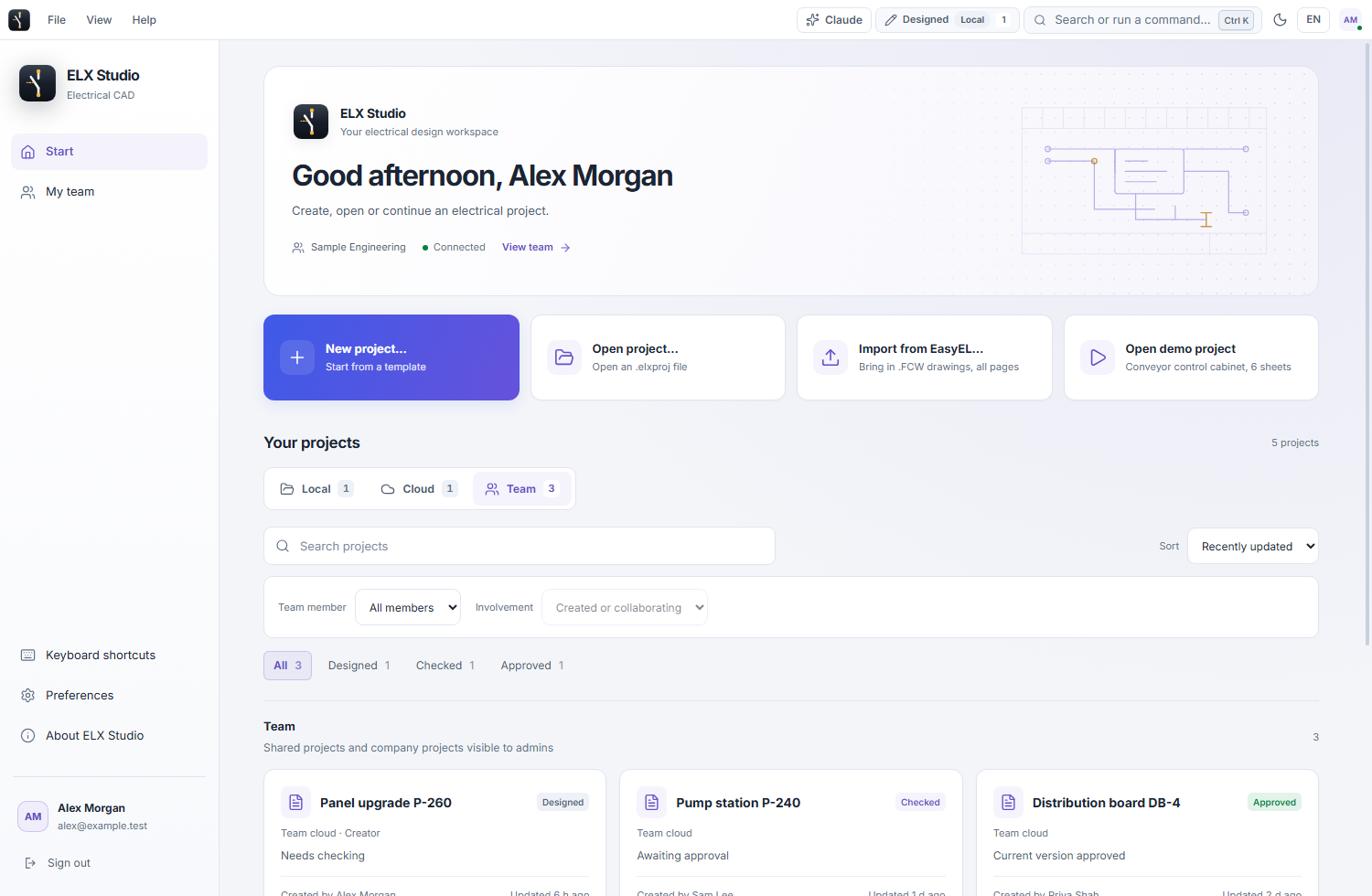
Switch between Local, Cloud and Team views. Search by project name, sort by recent activity or name, and filter team work by person and review status. Clear the active filters in one action to return to the full view.
 ELX Studio
Start a project on your computer or in your company cloud workspace. ELX shows local, cloud and team projects in separate views so you can see where a drawing lives before opening it.
All product workflowsChoose where a project belongs; a copy has its own identity and history.
Choose Local, Cloud or Team on the project home. Check the project location before sharing or continuing work.
Use these capabilities together as the drawing moves from layout to a reviewed project.
Switch between Local, Cloud and Team views. Search by project name, sort by recent activity or name, and filter team work by person and review status. Clear the active filters in one action to return to the full view.
Keep a project file on your computer. ELX can reopen its native project file later; local work remains editable while the signed offline license is valid.
Make a cloud copy when a local drawing needs to enter the company workspace. The original local file remains separate, and subsequent edits in one copy do not update the other automatically.
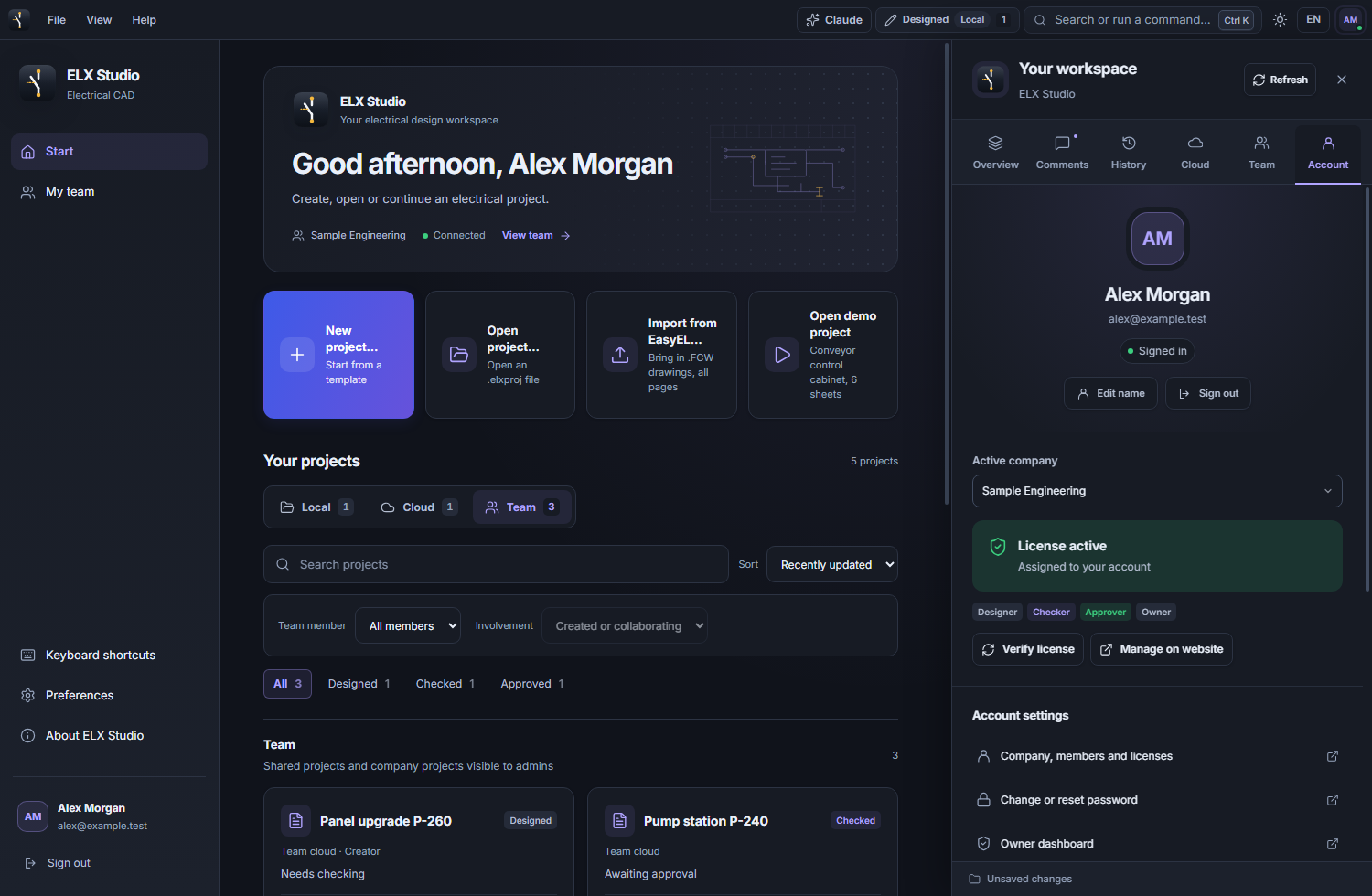
Open Your workspace to see your signed-in account, company membership and license information. Project storage and sharing controls remain with the project so you can check which drawing you are working on.
Choose the light or dark theme, adjust grouped preferences and search the keyboard-shortcut reference. Settings and navigation use the same control styles as the drawing workspace.
Export a portable ELX package when the recipient needs the drawing together with referenced project symbols, devices and attached STEP or document files.
Create or open a local project, or choose a cloud project shared with your company.
Use the project views, search and status filters to locate the current drawing.
When moving work between local and cloud, check which copy the team will continue editing.
Request trial access and explore these tools in the Windows application, with an English or Swedish interface.