Explore product workflowsDesign / Distribution & alarm systems
PRODUCT / DESIGN

Give circuits, alarms and evacuation plans a shared context.

Extend the drawing with distribution boards, circuit records, alarm loops, zones and operating relationships. Keep assumptions and source information visible, then produce schedules and linked planning views from those records.

All product workflows
IN PRACTICE

Structured system records alongside the devices and plans they describe.

WHERE TO START IN ELX

Select the distribution, fire or security workspace. Open Circuits / distribution or Alarm systems from Project setup.

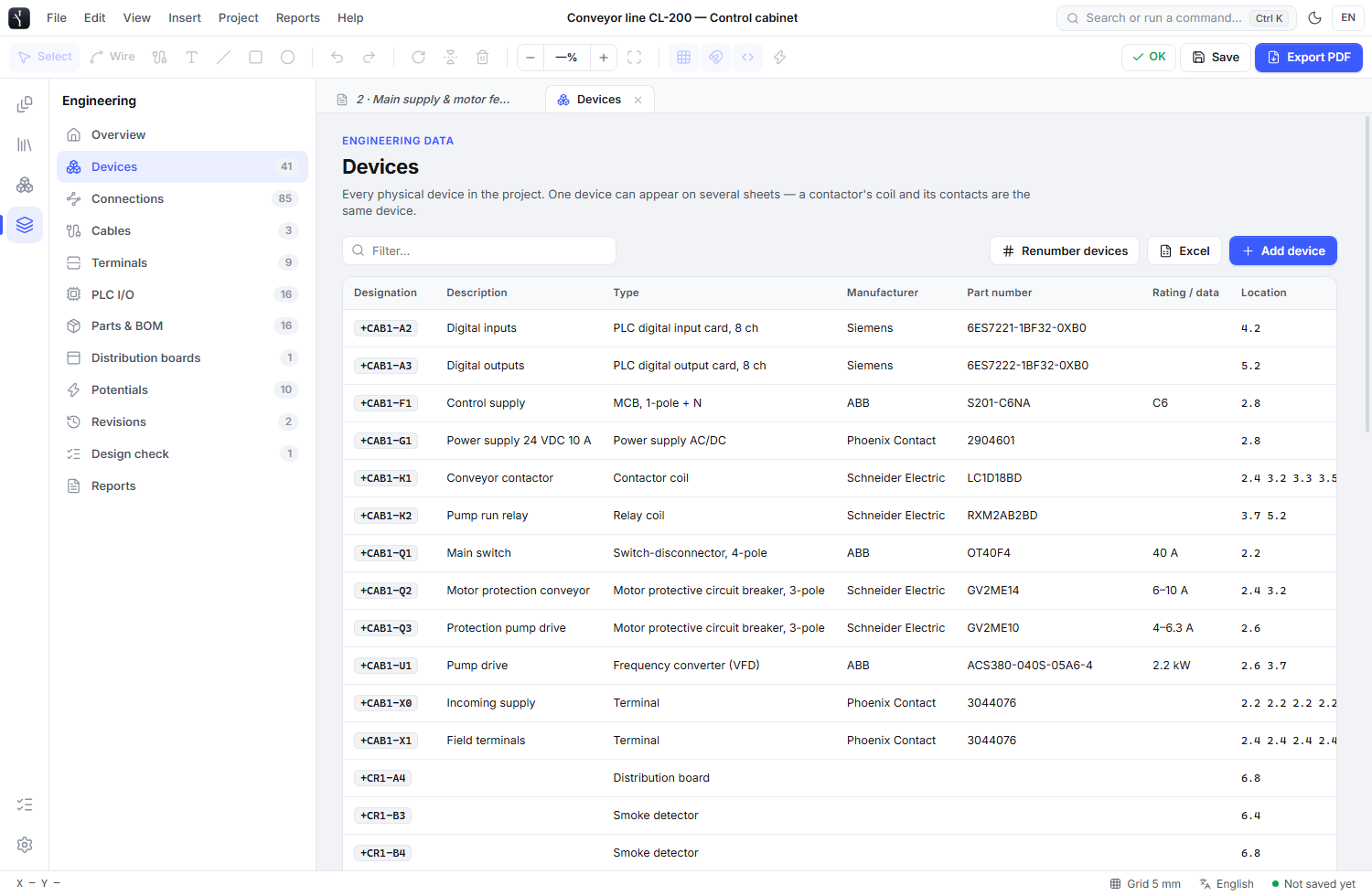
ELX STUDIO 3.3.4 / APPLICATION VIEWOpen full-size image
ELX Studio alarm system manager with fictional project devices and documented alarm planning records
ALARM SYSTEMS / PROJECT PLANNING RECORDS Fictional sample project data
WHAT YOU CAN DO

The tools in this part of ELX.

Use these capabilities together as the drawing moves from layout to a reviewed project.

01

Document boards and circuits

Record incoming supplies, upstream feeders, circuit phases, protection, cable, destination and load basis. Edit circuit grids or preview a structured import. Generated board drawings read the same records rather than maintaining a separate copy.

02

Review loads and voltage-drop inputs

Inspect connected loads, entered demand factors, phase allocation and missing inputs. Use voltage-drop worksheets with explicit parameters, method evidence and review state. These tools keep the engineering basis with the project.

03

Organize alarm loops and zones

Assign placed devices to systems, loops and zones with addresses. Record manufacturer device-count limits, available current and the source for each value. Loop and battery worksheets distinguish complete information from missing assumptions.

04

Record cause and effect

Describe a device or zone event, the intended action, effect device, delay and logic notes. Keep operating requirements in a readable matrix without treating the document as a program downloaded to the alarm panel.

05

Keep commissioning evidence current

Record the procedure, expected and actual result, tester and date. Relevant configuration changes mark previous tests for retesting, preserving their history instead of presenting an old result as verification of a new setup.

06

Prepare evacuation planning views

Reuse the building source for an evacuation drawing. Bind exit markers to doors, add reviewed routes and equipment, then prepare the printed plan with a legend and overview. The dedicated evacuation workflow explains the geometry checks and review steps.

A PRACTICAL WORKFLOW

From first action to review.

  1. 01

    Build the source drawing

    Establish the plan scale and device identities, then create the appropriate board or alarm system records.

  2. 02

    Enter the engineering basis

    Document circuit loads, product limits, current values, operating relationships and their sources. Resolve incomplete inputs explicitly.

  3. 03

    Review and issue the records

    Inspect generated views, worksheet results and commissioning states, then export the schedules required for review.

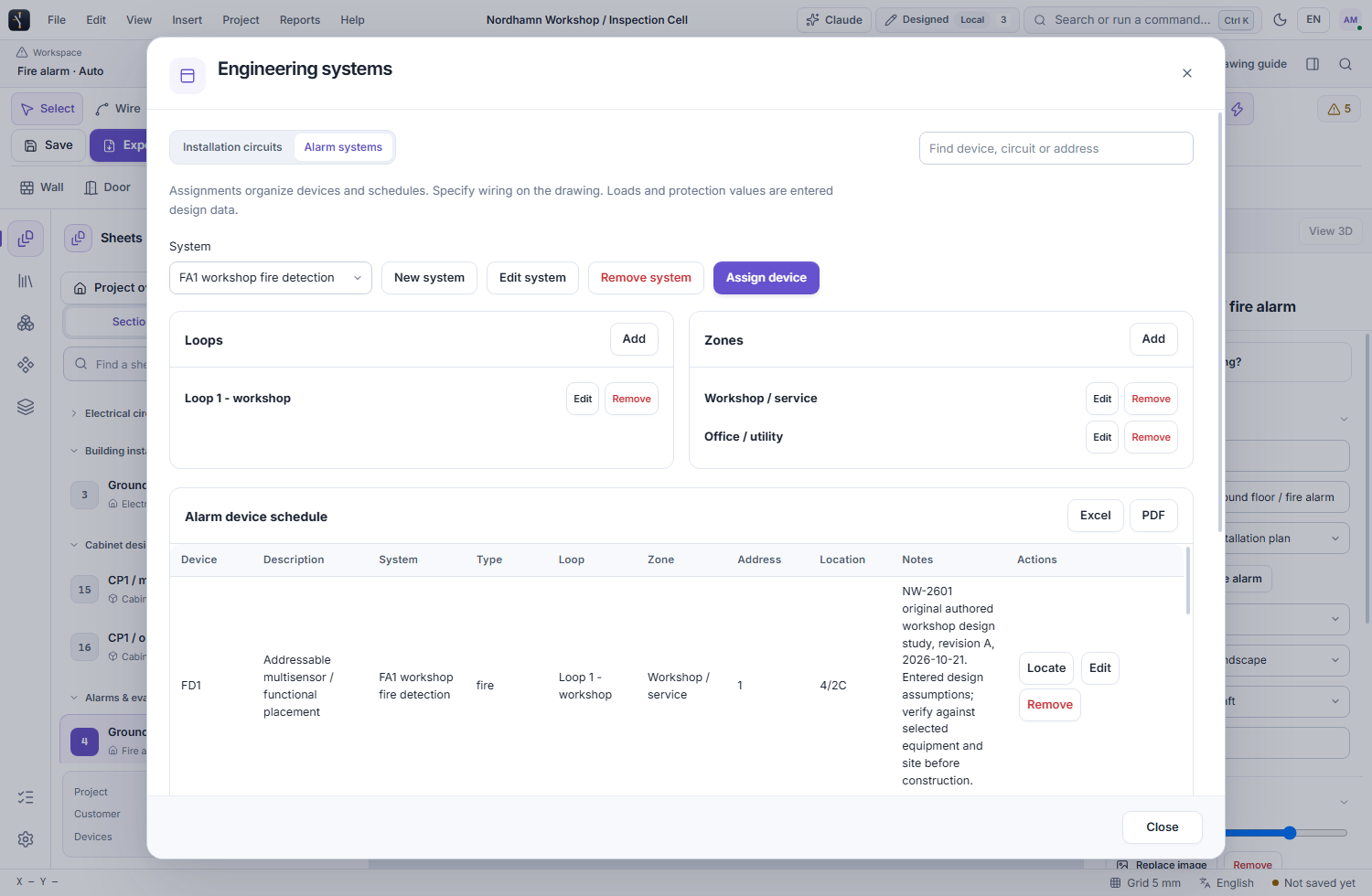
ELX STUDIO 3.3.4 / APPLICATION VIEWOpen full-size image
ELX Studio engineering view providing project device records and access to engineering schedules
PROJECT RECORDS / THE EQUIPMENT BEHIND THE SYSTEMFictional sample project data
SEE IT IN YOUR WORKFLOW

Try ELX Studio with your own project.

Request trial access and explore these tools in the Windows application, with an English or Swedish interface.

Request trial access
EXPLORE THE NEXT CAPABILITY / 12

Prepare clear evacuation plans