Explore product workflowsDeliver / Estimates, quotations & production
PRODUCT / DELIVER

Connect the project estimate to the equipment you designed.

Build material estimates from the project inventory, add labour and explicit costs, and preserve quotation revisions. Track production checks and choose the report information that belongs in the handover.

All product workflows
IN PRACTICE

From the device list to a reviewed estimate, quotation revision and delivery record.

WHERE TO START IN ELX

Project → Costs, quotations & production. Use Reports → Layout to configure tabular delivery documents.

ELX STUDIO 3.3.4 / APPLICATION VIEWOpen full-size image
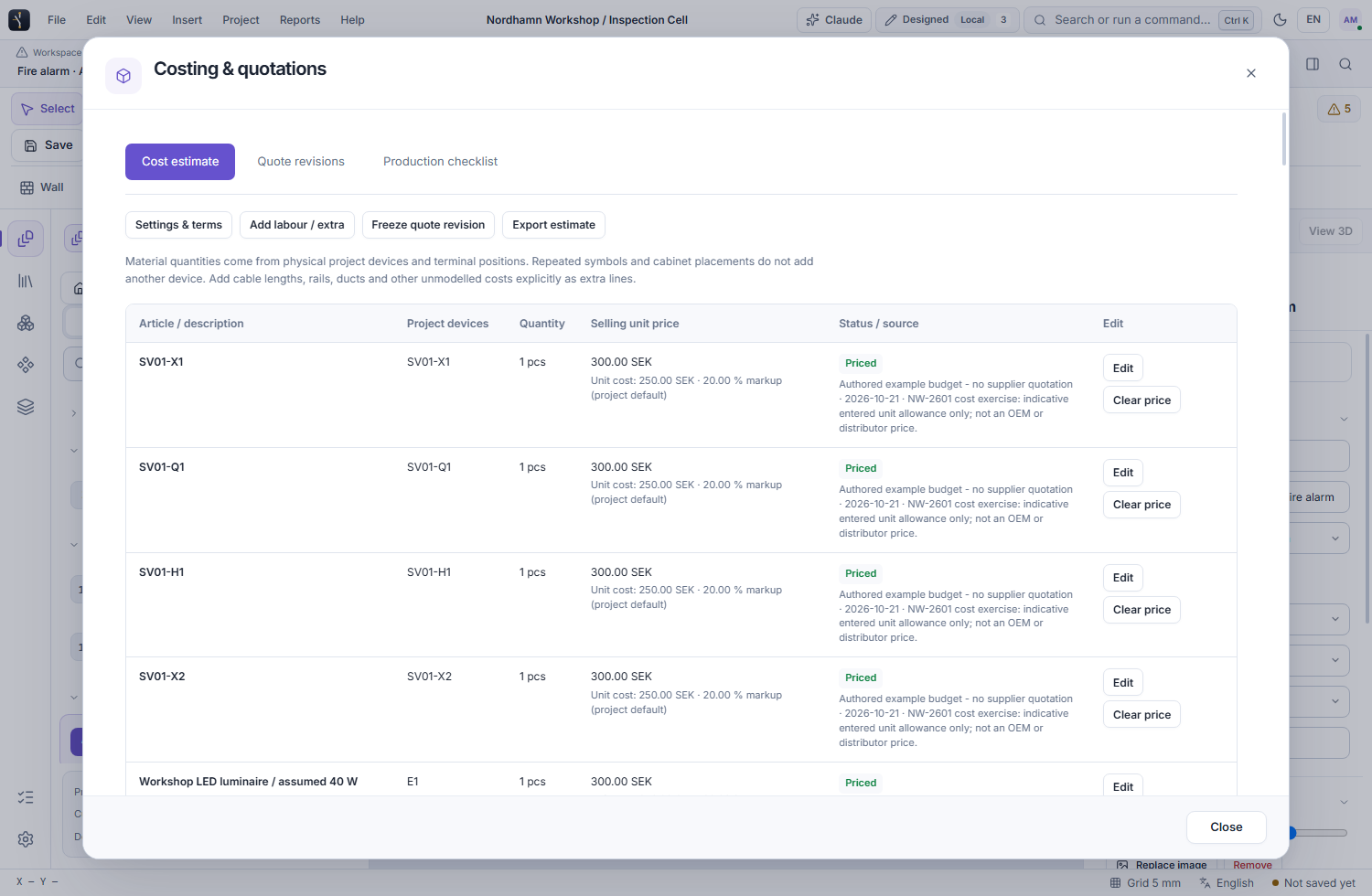
ELX Studio project cost estimate showing fictional material pricing and commercial assumptions
PROJECT ESTIMATE / EXPLICIT PRICES AND ASSUMPTIONS Fictional sample project data
WHAT YOU CAN DO

The tools in this part of ELX.

Use these capabilities together as the drawing moves from layout to a reviewed project.

01

Build an estimate from the inventory

Associate devices with articles and use the same material quantities as the project BOM. Enter dated price sources, currency and explicit labour or extra lines. Missing prices remain identifiable rather than silently becoming free items.

02

Keep pricing decisions explicit

Use a direct selling price or enter purchase or labour cost with a markup. Set the project's discount and tax assumptions. ELX calculates from those entries; prices, exchange rates and tax policies are not supplied automatically.

03

Preserve quotation revisions

Freeze a quotation with its quantities, prices and terms. Later project changes can be reviewed against that revision without changing the earlier quotation. Dedicated customer exports omit structured internal purchase-cost and markup fields.

04

Record production checks

Define project checks and record their outcomes and evidence. Keep the record tied to the configuration reviewed so relevant later changes can be identified before the project is delivered.

05

Choose what appears in each report

Save report layouts with selected columns, headings, widths and sort priorities. Use the chosen layout for previews, standalone or appended PDFs, Excel and CSV. Quotations retain their own frozen document layout.

06

Reuse the workflow and package the result

Create reusable project templates and authored assembly configurations with previews before regeneration. Prepare a portable project with referenced device files, and review explicit exclusions for internal information before handing it over.

A PRACTICAL WORKFLOW

From first action to review.

  1. 01

    Review quantities and prices

    Check the device and article records, resolve missing price data and enter the commercial terms for this job.

  2. 02

    Freeze a quotation revision

    Inspect the estimate and save the revision to be issued. Review the generated customer document before sending it.

  3. 03

    Prepare the delivery package

    Review production evidence, choose report layouts and export the drawings, schedules and editable files the recipient needs.

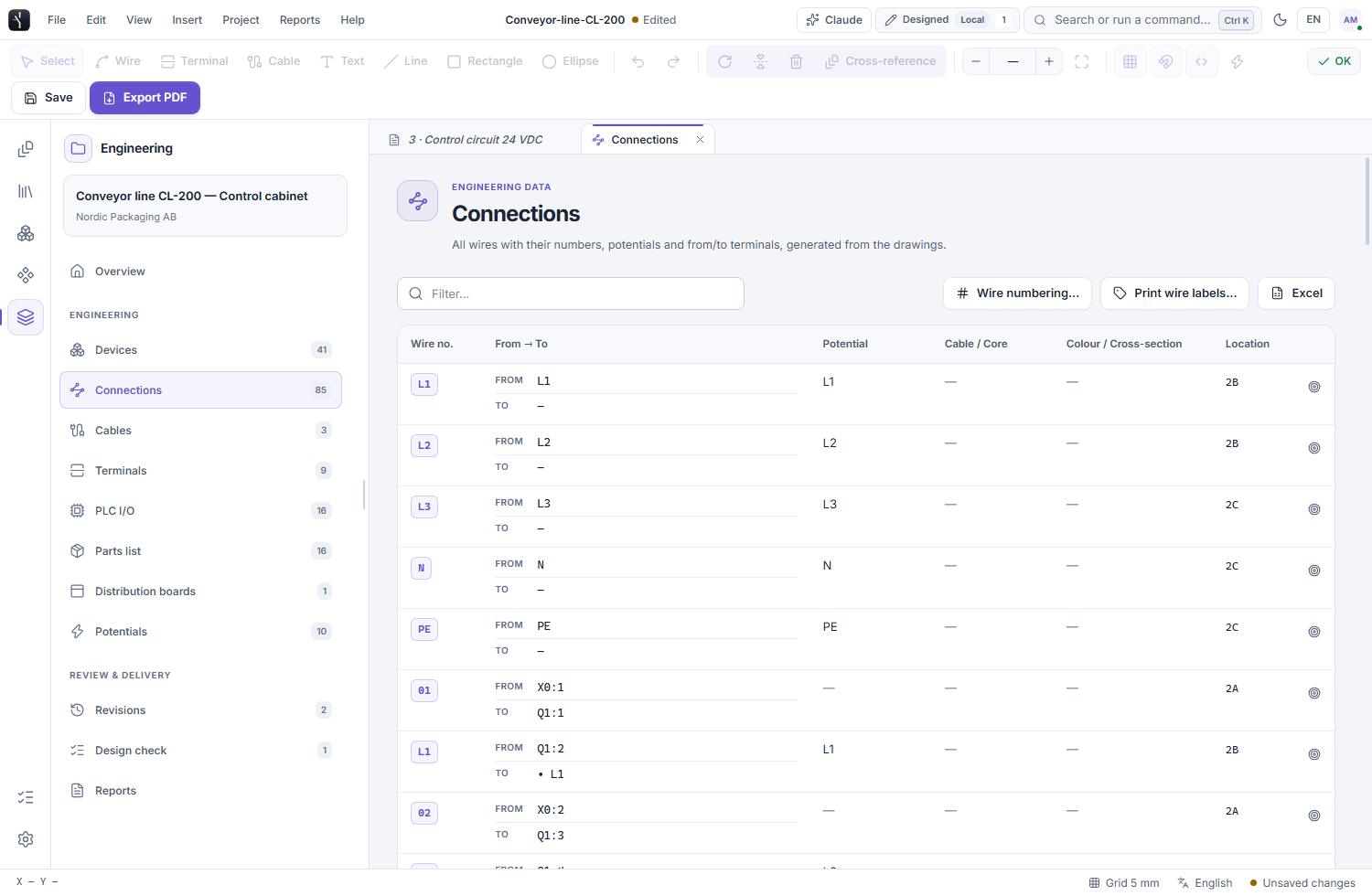
ELX STUDIO 3.3.4 / APPLICATION VIEWOpen full-size image
ELX Studio connection schedule showing physical endpoints and drawing locations for project review and delivery
CONNECTION SCHEDULE / REVIEW THE DOCUMENTED ENDPOINTSFictional sample project data
SEE IT IN YOUR WORKFLOW

Try ELX Studio with your own project.

Request trial access and explore these tools in the Windows application, with an English or Swedish interface.

Request trial access
EXPLORE THE NEXT CAPABILITY / 01

Draw the whole electrical system